
Featured Article
Implementation
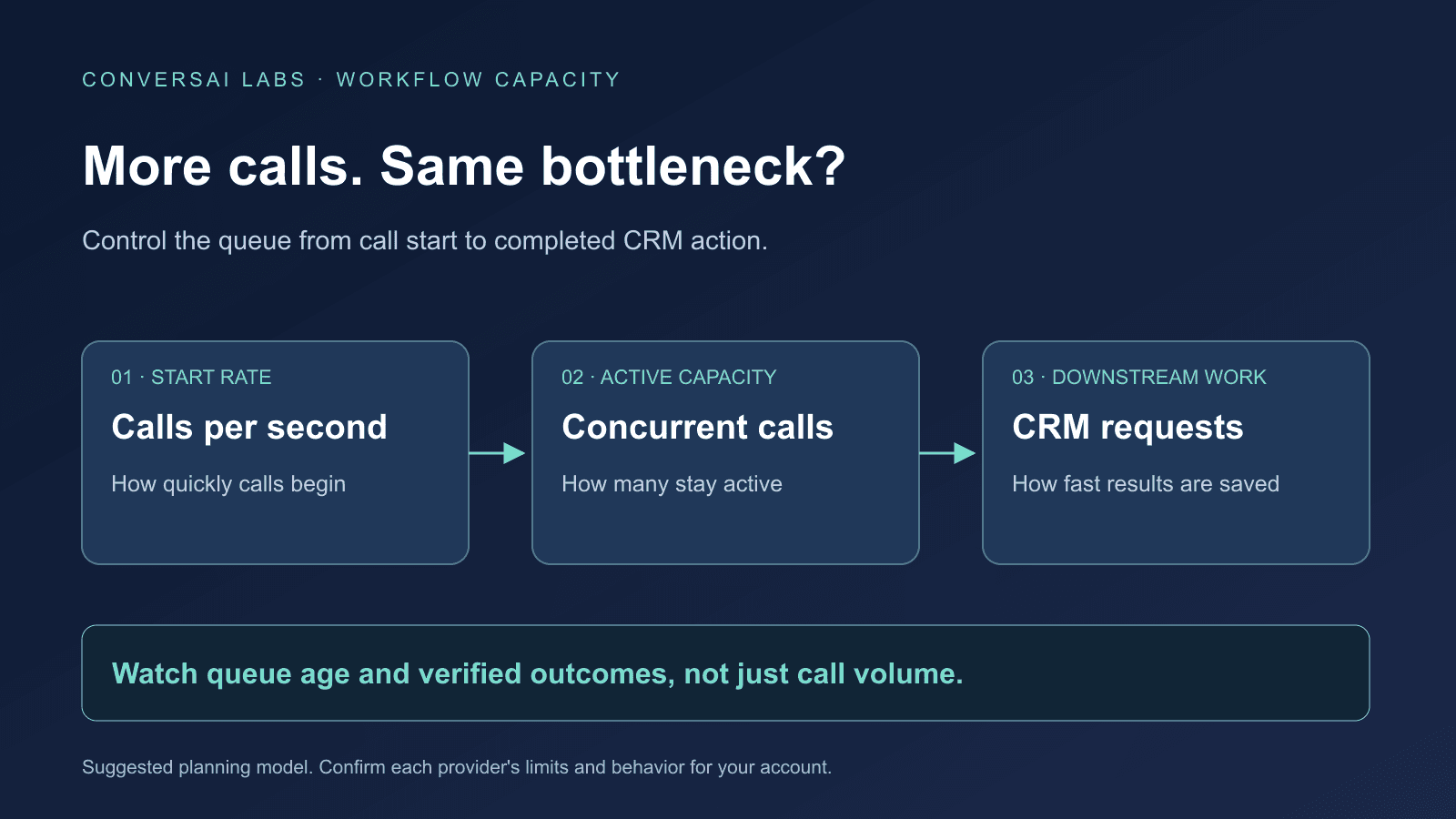
To scale a voice AI calling workflow, control three separate things: how quickly calls start, how many calls stay active, and how fast downstream systems can process their results. Increasing one limit does not automatically increase the others. A campaign can place calls successfully while its CRM updates fall behind.
For a marketing operations team, the practical question is: can every call receive its promised follow-up within an acceptable time? For developers, that means managing both the calling queue and the work generated after each call.
This guide is published by ConversAI Labs. Vendor behavior below comes from primary documentation reviewed on 9 October 2026. The queue design and numerical examples are illustrative, not hands-on benchmarks or claims about limits available in a ConversAI account.
What is the difference between CPS and concurrent calls?
Calls per second, or CPS, describes the rate at which new calls start. Concurrency describes how many calls can be active at once. API request limits are another constraint: accepting a call-creation request and starting its call can happen at different times.
Twilio's Calls API documents account-level CPS limits, queuing for calls submitted beyond that rate, and a queue_time estimate. Its separate high-volume guide distinguishes simultaneous API requests from call-start capacity. Those are Twilio-specific behaviors; another provider may reject a request instead of queuing it. Twilio Call resource, Twilio high-volume voice guide.
Before launching a batch, write down the limits that actually apply:
| Constraint | What it controls | What to confirm |
|---|---|---|
| Call-start rate | How quickly new calls begin | Telephony path, account scope and queue behavior |
| Active-call capacity | How many calls occupy slots | When a slot is acquired and released; shared inbound capacity |
| API request capacity | How much request traffic is accepted | Per-app, per-account and endpoint-specific limits |
| CRM processing capacity | How quickly results become actions | Requests per outcome, daily allowance and competing integrations |
Do not infer any of these from the number of agents you created or your available calling credits.
Why can a large batch take longer than expected?
Consider a simplified test workload: 120 calls, each occupying a slot for exactly three minutes, with six outbound slots available. That is 360 slot-minutes of work. Even with continuous use, it needs at least 60 minutes to finish. A high call-start rate cannot remove that capacity constraint.
This is arithmetic, not a forecast. Real planning must include the provider's slot-occupancy rules, ringing, unanswered calls, variable durations, retries and capacity reserved for other traffic. Measure those inputs in a small pilot before estimating a campaign completion time.
Retell documents workspace-level concurrency shared by active voice calls, and reserved inbound capacity that reduces the slots available to outbound traffic. Its documentation also distinguishes rejection at the outbound concurrency limit from optional burst behavior. Confirm your own provider's rules rather than assuming that every full system has the same queue or fallback. Retell concurrency documentation.
How should the calling queue decide what starts next?
Our suggested application design is a dispatcher that checks eligibility before requesting a call. A lead entering the queue is a candidate for a call, not an instruction to call immediately.
Before dispatch, check that the job is still valid, the contact is still eligible under your calling policy, the permitted calling window is open, and the applicable rate and capacity budgets allow another attempt. Recheck these conditions after a long wait; a lead may have booked already or withdrawn permission while the job was queued.
Keep an explicit expiry time and cancellation state. Use a shared capacity guard when several workers dispatch calls, so they cannot all consume the same apparent free slot. Track application reservations separately from the provider's actual call state, and reconcile uncertain requests before releasing or reusing capacity.
A slow or missing call-creation response does not establish that the provider rejected the call. Avoid blindly starting another call: first use the provider's supported request identifier, idempotency mechanism or status lookup to resolve the outcome. When that cannot be resolved safely, hold the job for review.
What if calls succeed but CRM updates are throttled?
Keep post-call work in a durable processing queue with its own request budget. A call ending should not force all associated CRM writes to run at once.
For example, six calls ending together might each require four CRM requests. That creates 24 requests in a burst. If a hypothetical integration permits only 20 requests per ten seconds, those writes need pacing even though average call volume is modest. Other integrations may consume the same allowance.
HubSpot documents rate limits that vary by app type and account tier, endpoint exceptions, and 429 responses for exceeded limits. Its response details can distinguish a short-window limit from a daily allowance; repeating requests every second will not solve an exhausted daily quota. HubSpot API usage guidelines.
Apply the destination's documented retry policy and any applicable retry timing. Give retries a bounded budget and avoid synchronized retry bursts. Show delayed or failed CRM work separately from successful call completion. If the oldest pending action passes your service target, reduce or pause new outbound work rather than allowing the backlog to grow indefinitely.
Authenticating incoming events and preventing duplicate business actions remain separate requirements. See our guides to webhook verification and duplicate CRM tasks.
What should a small team test before increasing volume?
Use synthetic contacts or an authorized test group, with a small configured limit. The following are suggested acceptance cases, not reported test results.
| Test | Expected operational behavior |
|---|---|
| Two workers see the last available slot | Only the allowed number of calls is submitted |
| Inbound demand rises during an outbound batch | Outbound dispatch respects the capacity policy |
| A queued contact becomes ineligible | The job is cancelled or held before calling |
| Call creation times out | The uncertain outcome is reconciled before another attempt |
| The CRM returns a rate-limit response | Writes are paced; pending actions remain visible |
| A daily API allowance is exhausted | Work is held under the destination's reset policy |
| The queue outlives a callback deadline | The missed deadline is surfaced for a defined next action |
Track the oldest queued job, time from eligibility to call start, active capacity, provider rejections, pending CRM actions and verified action completion. Call totals alone cannot show whether the workflow is keeping up.
For a ConversAI implementation, start with the API documentation and confirm the current capacity and delivery behavior for your account before expanding a campaign. This guide does not promise a particular CPS limit, concurrency quota or built-in dispatcher. Start with one controlled workflow, measure both queues, and increase volume only after the failure cases behave as intended.
About ConversAI Labs Team
The ConversAI Labs team writes about building and operating voice AI workflows.